November 3, 2026

How to Use Claude Code for Marketing: 5 Workflows

Claude Code for marketing: 5 workflows (SEO, ads, lead scoring, attribution, LinkedIn) with Landbase as the data layer, setup steps, metrics and honest limits.
Guide
  • Button with overlapping square icons and text 'Copy link'.
Table of Contents

Major Takeaways

What does using Claude Code for marketing involve?
Connecting Claude Code to the CMS, ad platforms, CRM and analytics through MCP servers, APIs or CLIs, adding a B2B data layer such as the Landbase MCP for audiences, market counts and enrichment, and encoding each repeatable job as a skill.
How do you set up a Claude Code marketing workflow?
Connect one system with read access, write the rules as a skill with a validator, dry-run every write to local files, ship through the API with a log of every action, then schedule the job and report results back into the CRM.
Why do most Claude Code marketing projects stall?
They publish conflicting web numbers instead of counted data, skip written rules so output drifts, or scale ad spend before attribution exists. Build attribution early so every workflow is judged on first-touch pipeline, not clicks or output volume.

Claude Code for marketing means running real marketing systems from one terminal: your CMS, ad accounts, CRM and analytics, connected through APIs, command-line tools and MCP servers, with each repeatable job written down as a skill. The output is not a draft in a chat window. It is a published page, a live ad set, a scored lead or a report someone acts on.

Most teams are not there yet. Supermetrics reports in its 2026 Marketing Data Report that only 6% of marketers have fully embedded AI in their workflows. A Digiday+ Research survey from late 2025 found 54% of brand and agency respondents said their companies do not use agentic AI in their workflows at all.

The missing piece is usually data. A model with web search can write the post, but it cannot count a market, list every account that fits your ICP or grade an inbound lead. This guide shows five Claude Code marketing workflows with Landbase as the data layer inside each one, then five setup steps, a worked example, metrics, honest limits and common mistakes. It is written for growth, demand gen and marketing ops teams.

Quick answer: To use Claude Code for marketing, connect it to your CMS, ad platforms, CRM and analytics through MCP servers, APIs or CLIs, and add a B2B data layer such as the Landbase MCP for market counts, audiences and enrichment. Write each job as a skill, dry-run every write, then schedule it and report results back to the CRM.

Before you start: what you need

  • Claude Code installed, plus a project folder that holds your skills, templates and scripts.
  • API access to each system: a CMS token with write scope on the collections you publish to, Meta and LinkedIn ad credentials, and a CRM private app token (HubSpot or Salesforce).
  • The Landbase CLI or MCP server connected in the same session, so audience, market and enrichment pulls happen next to the other tools.
  • Read access to Google Search Console, Google Analytics and your product analytics tool (Amplitude, Mixpanel).
  • Written rules for each output: brand voice, title and meta lengths, CTA blocks, UTM conventions, ICP and lead-fit criteria. One owner per workflow who reviews output before it goes live.

The 5 Claude Code marketing workflows

Each workflow is a chain of systems, not a single prompt. Claude Code reads from one tool, applies the rules in a skill and writes to the next. The Landbase MCP supplies the B2B data each chain needs: who to target, how big the market is, and what is true about a company or contact.

1. SEO and content engine

Connect the CMS once (Webflow, WordPress or Framer through their APIs, or a code-based site in GitHub) so every collection becomes data Claude Code can read and write.

  1. Find keyword gaps in Search Console and write each post with a skill per post type, so titles, meta, FAQs and CTAs follow the same rules every time.
  2. Back each post with original data from Landbase: a market count, a breakdown by state or size band, a list of companies hiring for a role. Ask in plain language and keep the query definition next to the number.
  3. Design pages as HTML in Claude Code, from a design repo or a Figma file through its MCP server, and publish through the CMS API with metadata, schema markup and an llms.txt file, the proposed standard for giving AI agents a Markdown map of a site.
  4. Interlink everything: hub pages per content type, a glossary that links to every use, author and industry pages, and a footer sitemap so every page is two clicks from the homepage.

Why the data step matters: market sizes quoted across blog posts rarely agree, because each uses a different definition. A count pulled from Landbase's 40M+ company records, with the filters written next to the number (industry, headcount band, location), gives readers a figure they can check and other sites a reason to cite it.

2. Paid ads and ABM engine

Treat every ad as an HTML file and every audience as a query, so one change updates the whole set.

  1. Build the audience in the data layer: describe the ICP in plain language, size the TAM, and export the account and contact list for LinkedIn matched audiences, Meta custom audiences and ABM target lists. Add lookalikes of your best customers.
  2. Research competitors: ask the data layer for companies competing with yours, and review their longest-running ads in the Meta Ad Library for copy formulas (headlines, hooks, CTAs) and visual patterns.
  3. Build creative as code: HTML templates crossed with message themes, exported as PNGs in three sizes (1:1, 4:5, 1.91:1) with a headless browser, with a feed preview before launch.
  4. Launch from a manifest (image plus copy per ad) through the Meta and LinkedIn ads APIs: dry run first, then dozens of variants on Meta and only the winning design on LinkedIn.
  5. Optimize on a rule: rank theme and design combinations by click-through rate, put any ad with 0 clicks in 14 days on a kill list, and tie clicks to HubSpot contacts and deals with UTMs.

Lookalike quality depends on the seed. Seed with your closest-fit closed-won accounts, not your largest logos, and refresh the audience monthly so new companies that match the ICP enter the list. For ABM, the same scored account list feeds ad audiences, SDR outreach and sales territories, so every team works from one definition.

3. Inbound lead scoring

Score inbound on two axes so sales only sees qualified leads. Pull the rules from a recorded sales call (Fathom or Gong transcript), then write them into CRM properties.

  • Enrich every form fill: match the email domain to a company, then add headcount, industry, location and tech stack.
  • Fit, graded A to D from those fields: company size, volume and current data provider. Intent, graded 1 to 4: form type, pricing-page views and repeat visits.
  • Routing: top fit grades see a booking calendar on the form, the rest go to nurture, and personal or junk emails are disqualified automatically.

Clean the CRM first: dedupe accounts, flag bad or personal domains and match each record to a company before the scoring rules go live, because fit grades are only as good as the fields under them. Enrichment with 1,500+ fields from 20+ providers fills the size and industry gaps most form fills leave. See account scoring vs lead scoring.

4. Attribution and reporting

Claude Code pulls clicks from Search Console, traffic by page from Google Analytics, views and form fills from Amplitude, and first-touch deals from HubSpot, joins them per page and rolls them up by topic cluster. Enrich the deal accounts so the report shows pipeline by segment and ICP fit, not just by page. The output is one report: top pages, pages that convert, and gaps. For model choices, see revenue attribution models.

5. LinkedIn content engine

Rank the formats top creators in your category use, pull topics from a recorded call, and back each post with a counted data point: headcount for a set of companies, a ratio, a ranked list. Graphics are HTML rendered to PNG, queued with the copy in a content calendar.

Use headcount and growth data for company comparisons, such as team size by department or hiring by role across a category, and label the source and as-of date on the graphic. Headcount from professional profiles can differ from figures in press coverage, so state which one the graphic uses.

How to set up Claude Code for marketing: step by step

Step 1: Connect your systems with read access

Connect the system the workflow starts from and the data layer. Use an MCP server where one exists, otherwise a vendor CLI or a short script against the REST API, such as the Webflow Data API or the HubSpot API. Keep tokens in a private local file, not in the skill or scripts. Do not move on until each read returns real records.

Step 2: Write the rules as a skill

Turn the job into a Claude Code skill saved in the project: inputs, ICP definition, field names, length limits, banned words, CTA blocks and a validation script (title under 60 characters, meta 140 to 160, FAQ present). Store the ICP filters in the skill too, so every audience and data pull uses the same definition. Threshold: three outputs in a row pass the check without manual edits.

Step 3: Dry-run every write

Have Claude Code write payloads to local files first: the post JSON, the ad manifest, the audience CSV, the CRM updates. Review them as a diff and check audience sizes, budgets and URLs before anything is sent. A human approves the first three runs of any workflow that spends money or publishes publicly.

Step 4: Ship through the API and log it

Create the CMS item and publish that item only, upload ads, sync the audience, set CRM properties. Log each write with its ID, timestamp and source file so every page, ad, audience and score can be traced back to the run that made it and rolled back if needed. Target: zero unexplained failures in the log.

Step 5: Schedule the cadence and report back

Run repeatable jobs in headless mode from a scheduler or CI job: ads optimization weekly, attribution weekly, audience refresh and content gap pull monthly, scoring rules quarterly with sales. Each run ends with a Slack or email summary of what changed and what needs a decision. Rerun a workflow whenever a CRM field, ad platform or ICP definition changes.

Worked example: one data-backed post from gap to pipeline

Illustrative example. A B2B SaaS team runs the SEO engine and attribution workflows together.

  1. Search Console shows a query with 400 impressions a month at position 18 and no page targeting it.
  2. Claude Code asks Landbase how many companies in the target category exist by state, and keeps the table and query definition for the post.
  3. The post skill drafts 1,800 words around that table with four FAQs and a CTA; the validator flags a 64-character title, cut to 52.
  4. The dry run writes the CMS payload locally, the owner approves in ten minutes, and Claude Code publishes the item and links it from three related posts and the hub page.
  5. Thirty days later, the report shows the post in the top 10, 6 demo-form fills in Amplitude, and 1 open deal in HubSpot with the post as first touch.

How to do this in Landbase: what the data layer adds

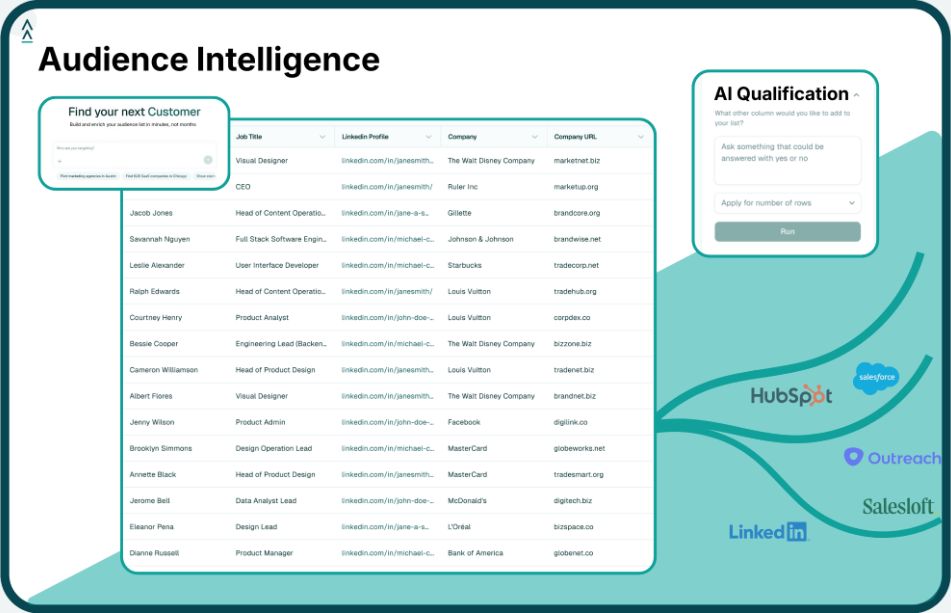
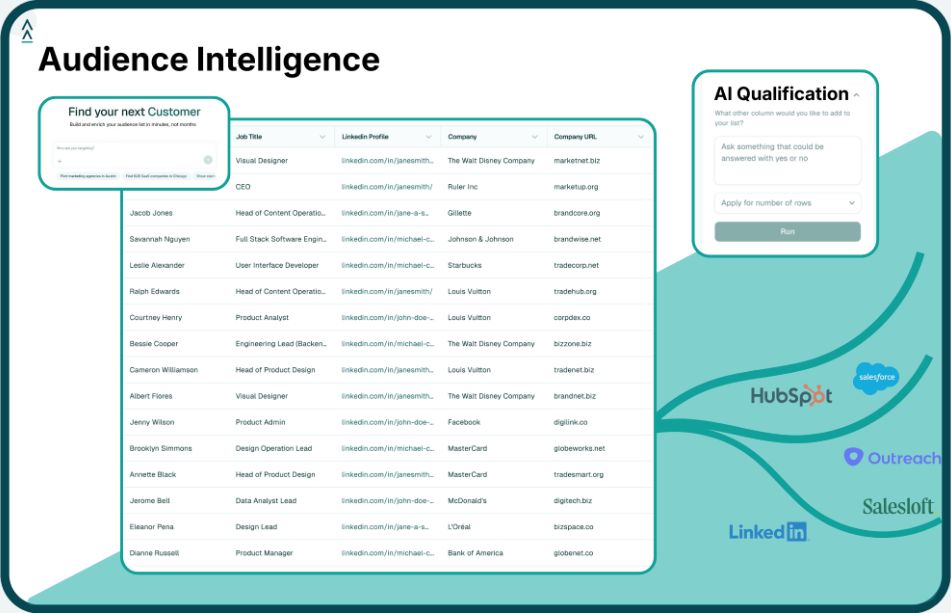
Landbase is the B2B data layer that runs inside Claude Code or Codex through the Landbase CLI and MCP server, drawing on 40M+ companies and 800M+ contacts from 20+ providers. In the five workflows it does four jobs:

  • Audiences: describe the ICP in plain language and get a scored, qualified account list, sized as a TAM, plus lookalikes of your best customers for ads and ABM.
  • Original data: market counts and breakdowns by state, size band or hiring role for SEO posts and LinkedIn graphics, with the filters stated.
  • Enrichment: 1,500+ fields on accounts and contacts for fit grading, CRM cleanup and pipeline-by-segment reporting.
  • Competitive intel: lists of companies that compete with yours, with size and growth context, to feed ad research and positioning.

Web search still has a role: fresh news, case studies and announcements are narrative evidence that structured data does not hold. A practical split is web search to find stories and Landbase to count, verify and enrich. To set it up, see GTM tools that work inside Claude Code and Claude Code for RevOps.

The honest limits of Claude Code for marketing

  • Access comes first. Ad platform APIs require approved developer apps; LinkedIn's advertising API needs approved access before you can create campaigns.
  • It follows rules, it does not invent taste. Positioning and creative bets stay with the team.
  • Some outputs earn less than they did. Google says FAQ rich results are no longer shown in Google Search as of 2026, so FAQs are for readers and AI answers.
  • Writes are real. A bad loop can publish fifty broken pages or launch ads with the wrong budget, and data collection must stay within each platform's terms.

Common Claude Code marketing mistakes

Publishing numbers from web search

Market sizes pulled from blog posts conflict by an order of magnitude. Use a census-style count with a stated definition, and show the method.

Skipping the written rules

Without a skill, every run drifts: titles get longer, CTAs change, voice wanders. Write the rules once, add a validator, and fix the skill rather than the output.

Automating spend before attribution

Launching 50 ad variants without UTMs and CRM deal tracking produces click-through rates and no answer on pipeline. Build workflow 4 before scaling workflow 2.

Scoring leads on dirty CRM data

Duplicates and bad domains break fit grades and routing. Clean and match the CRM file before the scoring rules go live.

How to measure whether it worked

  • Cycle time: hours from brief to published page or live ad set, against a hand-measured baseline.
  • Orphan pages: published pages with no inbound internal link. Target zero.
  • Audience match rate: share of exported accounts the ad platform matches. Low match rates point to weak domains or contact data.
  • Sales acceptance by fit grade: A-grade inbound should be accepted far more often than C and D grades; similar rates mean the rules need rework.
  • Pipeline per page, campaign and segment: first-touch deals tied to each post, ad and ICP tier, reviewed monthly.

Frequently Asked Questions

Can marketers use Claude Code without knowing how to code?

Yes, for most workflows. Claude Code writes and runs the scripts, so the marketer's job is describing the task, supplying API access and reviewing output. Basic comfort with a terminal and environment variables helps. The harder skill is writing clear rules: field names, length limits, approval steps and what counts as done.

What is the difference between Claude Code and Claude chat for marketing?

Claude chat produces text you copy somewhere else. Claude Code works in a terminal and project folder, so it can run scripts, call APIs, use MCP servers and write files. That lets it publish a post, upload an audience or update CRM properties directly, which turns a draft into a shipped workflow.

Why add a data layer if Claude Code can search the web?

Web search returns a handful of examples and conflicting totals. A structured data layer returns every company that meets a filter, counts with a stated definition, and works on your own CRM file. Web search is still better for fresh news and case studies, so use both.

Is it safe to let Claude Code publish or launch ads?

It is safe when writes are gated. Scope tokens to the collections and accounts the workflow needs, write every payload to a local file first, require human approval for anything that spends money or publishes publicly, and log every write with its ID so it can be reversed.

Which Claude Code marketing workflow should a team build first?

Start with the workflow closest to revenue that the team already does by hand every week: the SEO engine for content-led teams, the ads and audience engine for paid-led teams. Build attribution second, so every later workflow is judged on pipeline instead of activity.

Build a GTM-ready audience

Connect Landbase to Claude Code and ship your first marketing workflow

  • Button with overlapping square icons and text 'Copy link'.

Turn this list into a GTM-ready audience

Match this list to your ICP, prioritize accounts, and identify who to contact using live growth signals.

Real data for every workflow

Pull market counts, enrich inbound leads and build lookalike audiences without leaving Claude Code.

Stop managing tools. 
Start driving results.

See Agentic GTM in action.
Get started
Our blog

Lastest blog posts

Tool and strategies modern teams need to help their companies grow.

Guide

B2B healthcare lead generation guide: health system and payer ICP, buyer titles, HIPAA and CMS rules, buying signals, events and a 6-step playbook.

Daniel Saks
Chief Executive Officer
Research

30 CRM statistics for 2026: a $79.6B market, 20.0% Salesforce share, adoption by company size, data quality, ROI and AI, each linked to its primary source.

Daniel Saks
Chief Executive Officer
Guide

Expansion signals show which customers are ready to grow. Build an upsell list from your customer base in Landbase, with signal windows and routing.

Daniel Saks
Chief Executive Officer

How GTM teams turn this list into pipeline

See how GTM teams use fastest-growing lists to define TAM, prioritize accounts, and launch campaigns.