.png)
.png)

Daniel Saks
Chief Executive Officer


Here's what most businesses get wrong about HubSpot pricing: they focus solely on the subscription cost without considering the hidden expenses of manual data entry, lead qualification, and inefficient prospecting that undermine ROI. The gap between HubSpot's potential and actual performance costs organizations thousands in wasted sales cycles and missed opportunities.
HubSpot customers don't just need a CRM, they need qualified, prioritized accounts ready for outreach. They don't just want marketing automation, they require pre-qualified leads that match their ideal customer profile. When your HubSpot implementation is fed with continuously qualified, scored, and prioritized accounts, you stop wasting sales time on unqualified leads and start accelerating revenue growth.
This is where Landbase's agentic AI GTM platform transforms HubSpot from a passive database into a revenue acceleration engine. Companies using autonomous AI agents to automate prospecting tasks, targeting, qualification, enrichment, and scoring, enable campaigns to launch in minutes rather than weeks while reducing manual research effort by approximately 80%. The question isn't whether to invest in HubSpot, it's whether you can afford to use it without intelligent data automation.
HubSpot introduced seat-based pricing for new customers on March 5, 2024 (March 6, 2024 in APAC), fundamentally changing how organizations calculate their costs. Rather than paying for features alone, businesses now pay based on the number and type of users accessing the platform, creating both cost optimization opportunities and potential budget pitfalls.
The three seat types serve distinct purposes:
This structure means a 10-person sales team requires 10 Sales Seats plus potentially additional Core Seats for managers who need cross-hub access, creating a $1,000/month base cost before considering onboarding fees or add-ons.
The strategic implication is clear: organizations must carefully audit user roles and assign the minimum necessary seat types. Sales representatives need Sales Seats, marketing managers need Core Seats, and executives can use no-cost View-Only Seats on paid plans, a misallocation can add thousands annually to HubSpot costs.
HubSpot's free CRM remains available forever with no time limit, providing a genuine entry point for organizations testing the platform. Per the current HubSpot Product and Services Catalog, the free tier includes up to two free users, basic CRM functionality, email marketing with HubSpot branding, forms, landing pages, live chat, and simple workflows.
Key limitations of the free plan include:
The free plan works well for solo founders, very small teams (1-2 people), or businesses validating CRM needs before committing to paid tiers. However, the branding limitations and restricted automation make it unsuitable for professional customer-facing operations.
Organizations should view the free plan as a testing ground rather than a long-term solution. The real value emerges when you remove HubSpot branding and access advanced features, which requires upgrading to at least the Starter tier at $20/month per seat.
The Starter Customer Platform bundle starts at $20/month per seat; billing-term discounts may vary by package. The bundle includes 1 Core Seat, access to all Hub Starter tiers, and 500 HubSpot Credits.
Starter tier capabilities include:
However, critical limitations remain: Sales Hub Starter lacks email sequences and forecasting, Marketing Hub is restricted to 1,000 marketing contacts with basic automation only, and reporting capabilities are simplified across all hubs.
The Starter tier represents the minimum viable professional setup for small teams (5-20 people) who need to present a professional image without HubSpot branding. It's particularly valuable for organizations that can operate within the 1,000 marketing contact limit and don't require advanced sales automation like sequences.
Organizations should upgrade from Starter to Professional when they need email sequences, advanced marketing automation, lead scoring, forecasting, or custom reporting, capabilities that typically justify the significant price jump to $890-1,450/month base pricing.
Professional tier pricing varies significantly by hub, with base costs starting at $890/month for Marketing Hub Professional and $100/month per Sales Hub Professional Seat. Enterprise tier costs escalate further, from $3,600/month for Marketing Hub Enterprise to $150/month per Sales Hub Enterprise Seat.
Key differences between Professional and Enterprise include:
The mandatory onboarding fees are hub-specific and create significant Year 1 cost differences: Marketing Hub Professional onboarding is $3,000 and Marketing Hub Enterprise is $7,000; Sales Hub Enterprise and Service Hub Enterprise onboarding are $3,500 each. Onboarding can materially increase Year 1 costs; the exact percentage varies by hub, tier, and seat count. These one-time fees can be paid directly to HubSpot or through certified Solutions Partners, who may offer implementation services using the same budget.
Organizations should choose Professional tier when they need advanced automation, lead scoring, and forecasting but operate as a single brand with standard governance requirements. Enterprise becomes necessary for complex permission structures, AI-powered attribution, or when advanced security features like SSO are required; multi-brand management via the Brands Add-On is also available exclusively at the Enterprise tier.
HubSpot Credits represent a consumption-based currency for AI-powered features introduced across the platform. Credit allocations vary by product: for Marketing Hub, Sales Hub, Service Hub, Content Hub, and Smart CRM, Starter includes 500 credits, Professional 3,000, and Enterprise 5,000. Data Hub and Customer Platform include higher allocations, 500 credits at Starter, 5,000 at Professional, and 10,000 at Enterprise, per the HubSpot Product and Services Catalog.
Credits power AI capabilities per HubSpot's published credit rate sheet, including:
Additional credits are available through $10/month capacity packs of 1,000 credits or at $0.010 per credit on a pay-as-you-go basis. If included credits are exhausted and no additional credits are purchased, credit-consuming features may pause until the next monthly reset or until additional credits are obtained.
Strategic credit management involves monitoring usage monthly, disabling unused AI features, and planning for consumption growth as AI adoption increases. Organizations should factor potential credit overages into their total cost of ownership calculations, especially when evaluating Enterprise tier benefits versus Professional tier with additional credits.
Beyond base subscription fees, HubSpot implementations face several potential cost escalators that can significantly impact total ownership costs.
Common add-ons include:
Marketing contact overages represent another significant cost variable. HubSpot's overage pricing is tiered: Starter starts at $50 per 1,000 additional contacts and decreases to $45 and then $40 at higher volumes; Professional starts at $250 per 5,000 additional contacts and decreases to $150 at higher volumes; Enterprise starts at $100 per 10,000 additional contacts and decreases to $60 at higher volumes.
Integration costs also factor into total ownership. Many premium integrations require separate subscriptions, custom integrations may need developer resources, and data sync limitations can trigger upgrade requirements. Organizations should audit their integration needs during vendor selection to avoid unexpected implementation costs.
Effective HubSpot cost management requires proactive planning rather than reactive budget adjustments. Organizations can significantly reduce their total ownership costs through strategic user allocation, contact management, and platform selection.
Key cost optimization strategies include:
The most significant cost optimization opportunity lies in feeding HubSpot with pre-qualified, high-fit accounts rather than raw prospect lists. When sales teams spend time only on qualified leads that match the ideal customer profile, every Sales Hub seat delivers maximum ROI.
Organizations should also plan for growth by understanding cost escalation patterns. Under current Starter marketing-contact tiers, contact growth from 1,000 to 5,000 adds about $190/month. For user growth, adding 10 Professional Core Seats adds $500/month; if those users require Sales Hub or Service Hub Professional Seats instead, the cost is $100/month per seat, or $1,000/month for 10 users. Proactive capacity planning prevents budget surprises.
While HubSpot provides the infrastructure for managing customer relationships, it doesn't solve the fundamental challenge of identifying and qualifying the right accounts to engage. This is where Landbase's agentic AI GTM platform delivers transformative value for HubSpot users.
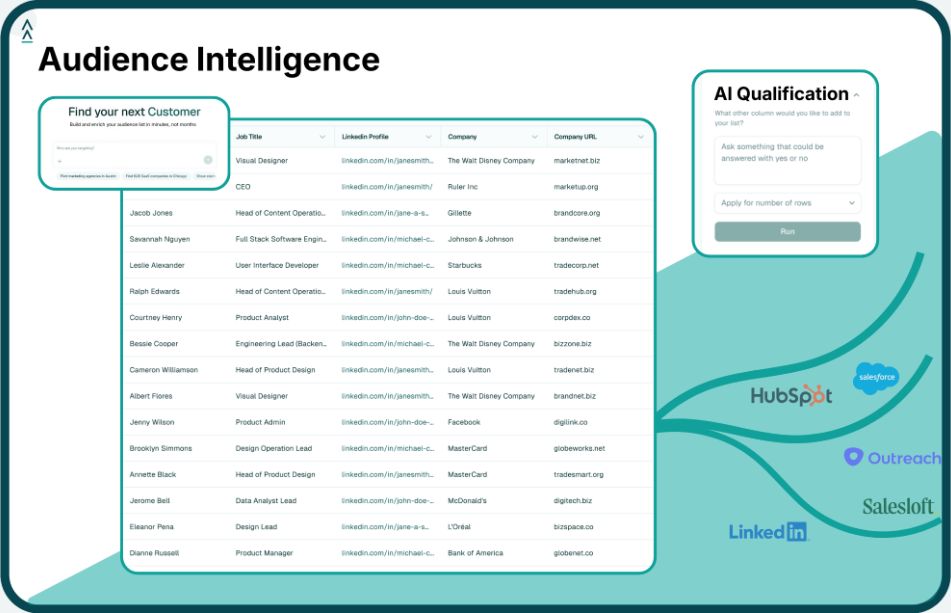
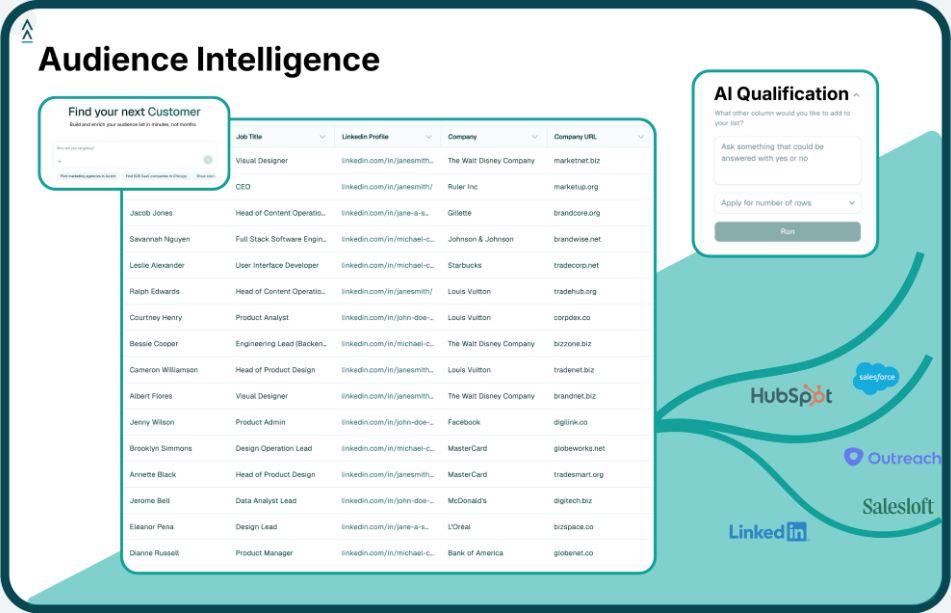
Landbase's autonomous AI agents continuously qualify, score, and prioritize high-fit accounts across the total addressable market, automating prospecting tasks that typically consume 80% of sales and marketing research time. The platform's AI agents evaluate every account against your exact criteria, answer custom fit questions automatically, and validate results through 4 layers of verification.
Landbase enhances HubSpot effectiveness through:
The integration is seamless: Landbase feeds continuously qualified, prioritized accounts directly into HubSpot, ensuring sales teams focus only on prospects with genuine buying potential. This transforms HubSpot from a passive database into an active revenue acceleration platform.
Organizations using Landbase with HubSpot report 4-7x higher conversion rates and approximately 80% reduction in manual research costs. Every HubSpot Sales Hub seat becomes significantly more valuable when fed with pre-qualified accounts rather than raw prospect lists requiring manual qualification.
For HubSpot users struggling with lead quality, data accuracy, or prospecting efficiency, Landbase's GTM intelligence platform represents the missing link between HubSpot's relationship management capabilities and actual revenue growth.
HubSpot only charges for "marketing contacts", contacts you actively market to via emails, ads, and automation. Non-marketing contacts do not count toward marketing-contact billing, though overall HubSpot contact-record limits still apply. You can avoid overages by carefully managing contact status: only mark contacts as marketing contacts if you're actively engaging them through marketing channels. Regularly audit your contact database and downgrade inactive contacts to non-marketing status to stay within your included limits. This strategic contact management can generate meaningful savings depending on your tier, given HubSpot's tiered overage pricing.
Existing customers were not immediately moved to the new pricing structure. However, per HubSpot's March 2024 pricing announcement, renewal pricing may change depending on migration timing, contract terms, and packaging, with migration-related increases of approximately 5% or less possible at renewal, alongside any other contracted or packaging-related changes. Paid plans now also include no-cost View-Only Seats, which were not available before March 2024.
Yes, Landbase integrates seamlessly with HubSpot CRM. For Sales Hub users specifically, this integration ensures that every lead entering HubSpot has already been qualified against your ideal customer profile criteria, scored for fit and intent, and enriched with verified contact information. This means sales representatives spend time only on high-probability prospects rather than manually qualifying raw leads. The combination reduces manual research effort by approximately 80% and enables campaigns to launch in minutes rather than weeks, dramatically improving Sales Hub ROI.
HubSpot Credits are consumed by AI features including Breeze Customer Agents, data enrichment, buyer intent signals, and AI-powered automation. Each interaction with these features uses credits from your monthly allocation, for most hubs, 500 at Starter, 3,000 at Professional, and 5,000 at Enterprise; Data Hub and Customer Platform include higher allocations of 500/5,000/10,000. Additional credits are available through $10/month capacity packs of 1,000 credits or at $0.010 per credit on a pay-as-you-go basis. If credits are exhausted and no additional credits are purchased, credit-consuming features may pause until the next monthly reset. Monitor your credit usage monthly through the HubSpot dashboard and consider disabling unused AI features to prevent unexpected usage.
For a 15-person team, the Professional Customer Platform is typically among the more cost-effective options. A partner-published guide lists this bundle at $1,450/month with 6 Core Seats included. Nine additional Professional Core Seats at $50/month each would bring the estimated total to approximately $1,900/month. If any team members require full Sales Hub or Service Hub Professional functionality, those users need dedicated Sales or Service Seats at $100/month each, which can increase costs materially. For Year 1 onboarding, a partner-published guide lists Customer Platform/CRM Suite Professional onboarding at approximately $4,500, though this should be confirmed directly with HubSpot or a Solutions Partner before committing. The bundled approach generally costs less than purchasing hubs individually, but verify current pricing with HubSpot directly.
HubSpot made a major pricing-structure change with the introduction of seat-based pricing for new customers on March 5, 2024. As of May 2026, HubSpot's seat-based model remains the published framework per the HubSpot Product and Services Catalog. Future pricing changes should be monitored directly through HubSpot's official catalog and billing notices rather than assumed to follow any fixed cadence.
Tool and strategies modern teams need to help their companies grow.