.png)
.png)

Daniel Saks
Chief Executive Officer


Personalization has become harder for BDR teams because buyers expect relevance, but reps still have limited time to research every account. A message that references the wrong company trigger, stale job title, or generic pain point can make AI-assisted outreach feel automated instead of useful.
That is why personalization tools now sit across several parts of the sales workflow. Some tools help reps write better emails. Others gather account research, monitor signals, generate outreach angles, or automate parts of sequencing. For technical GTM teams, there is also a data preparation layer: the audience, enrichment, and record-matching work that happens before a message is drafted.
AI can help sales teams spend less time on manual tasks and more time with customers, but only when the workflow has the right inputs. Agentic systems can also expand team capacity, speed, and reach across repetitive work. For BDR teams, that means AI is most useful when it improves the data behind outreach, not just the final email copy.
This guide reviews personalization tools for BDR teams in 2026. The list focuses on research support, message quality, workflow integration, enrichment, channel coverage, and fit for modern GTM teams.
Personalization tools should help reps understand why an account is worth contacting and what context should shape the message. That requires more than inserting a first name or company name into a template.
A useful personalization workflow usually includes:
The right tool depends on where the team needs help. A team with weak account lists may need better data preparation. A team with good data but inconsistent messaging may need writing support. A team already running outbound at scale may need sequencing, routing, or message testing.
Primary Use Case: Technical GTM teams, RevOps teams, BDR operations teams, and AI agents that need structured audience and enrichment data before personalization begins.
Plan Details: Contact Landbase for tailored pricing details.
Landbase CLI is a command-line interface for working with GTM data from the terminal, Claude Code, Codex, scripts, dashboards, and other technical environments. For personalization workflows, its role is upstream: helping teams prepare the audience data, enrichment fields, and structured outputs that downstream tools use to create more relevant outreach.
Landbase CLI is useful because personalization depends on the quality of the data that comes before the message. If an account list is poorly defined, if the contact record is incomplete, or if the CRM data is messy, even a capable writing tool can produce weak outreach.
With Landbase CLI, a GTM operator can start with an audience idea, enrich the relevant records, resolve existing list data, and export the output into the systems that BDRs use. That makes it relevant for teams that want repeatable personalization workflows rather than one-off spreadsheet preparation.
Landbase also fits technical teams building AI-assisted GTM systems. Structured outputs can move into scripts, dashboards, CRM workflows, and AI agents, giving RevOps and GTM engineering teams more control over the data layer behind personalized outreach.
Primary Use Case: Teams that want AI-assisted email personalization based on account research and buying signals.
For teams that rely on timely account context, Autobound supports signal-based email generation. The platform gathers prospect and account information, then uses that context to help create outbound messages.
Timely account context is the main reason this tool belongs in the list. It can help reduce the manual research step behind first-touch emails, especially for teams that want account-specific details surfaced inside their existing outbound workflow.
Primary Use Case: BDR teams that want real-time email coaching rather than fully automated message generation.
For teams focused on improving rep-written emails, Lavender provides feedback while messages are being drafted. It reviews sales emails and suggests changes related to clarity, tone, length, personalization, and readability.
This option is included for teams that want coaching support during message creation. Instead of taking the message entirely away from the rep, it gives feedback that can help improve structure, relevance, and readability before the email is sent.
Primary Use Case: GTM teams that want table-based enrichment and research workflows for personalization inputs.
A table-based workspace sits at the center of Clay. Teams can bring in prospect records, enrich them through connected providers, and create custom research fields that support more specific outreach.
When personalization depends on custom research fields or enrichment from multiple sources, a table-based workflow can give operators more control. This makes the tool relevant for teams that have the time and resources to manage data logic before outreach begins.
Primary Use Case: Sales teams that want personalization features inside a sales engagement platform.
In organizations already running sales engagement workflows, Outreach can support personalized sequencing, rep tasks, email drafting, and call activity. Its personalization features are used within the broader engagement workflow.
The main fit is the engagement layer. Teams already using structured sales sequences may use this type of platform to keep message creation, rep tasks, follow-up activity, and CRM updates within the same workflow.
Primary Use Case: Revenue teams that want AI-supported engagement, messaging, and seller workflows inside a revenue orchestration platform.
Salesloft supports sales engagement, message creation, call workflows, deal activity, and seller prioritization. Teams use it to manage outreach and follow-up across sales workflows.
For teams managing outreach inside a broader revenue workflow, this platform can support both message creation and seller activity management. It is most relevant when personalization needs to stay connected to cadences, calls, tasks, and CRM records.
Primary Use Case: Teams that want AI-generated sales content across several outbound formats.
Regie.ai supports sales content creation for email, social selling, call scripts, and sequence-related workflows. Its AI features help teams create and manage outbound messaging across different formats.
This entry fits teams that need more than email copy. When BDRs also need call notes, social touches, and sequence content, a multi-format content tool can help keep messaging consistent across different outreach channels.
Primary Use Case: Teams that want prospecting data, enrichment, and outbound engagement in one workspace.
Apollo.io combines company search, contact search, enrichment, sequencing, and sales engagement features. Its AI-assisted features help users research accounts and create sales messages inside the same platform.
For teams that prefer fewer separate systems, this type of platform can connect prospect search, enrichment, and outbound activity in one workspace. It is often relevant when smaller teams want to move from list building to engagement without adding multiple tools.
Primary Use Case: Teams that need cold email infrastructure with AI-assisted personalization and campaign management.
Instantly focuses on cold email sending infrastructure, deliverability support, lead management, and campaign workflows. Its AI features can assist with message creation and campaign setup.
Cold email teams may need infrastructure as much as message assistance. This tool is included because it supports campaign setup, sending workflows, and deliverability-related tasks alongside AI-assisted copy creation.
Primary Use Case: Sales teams that want multi-channel outbound workflows with AI-assisted sequencing and reply handling.
Reply.io supports sales engagement workflows across email, calls, LinkedIn, SMS, and other channels. Its AI features help create sequences, draft messages, and manage parts of the outbound process.
Multi-channel coordination is the main reason this tool is included. It can support teams that want email, calls, LinkedIn, and follow-up tasks managed in a connected outbound workflow after the account and contact data has been prepared.
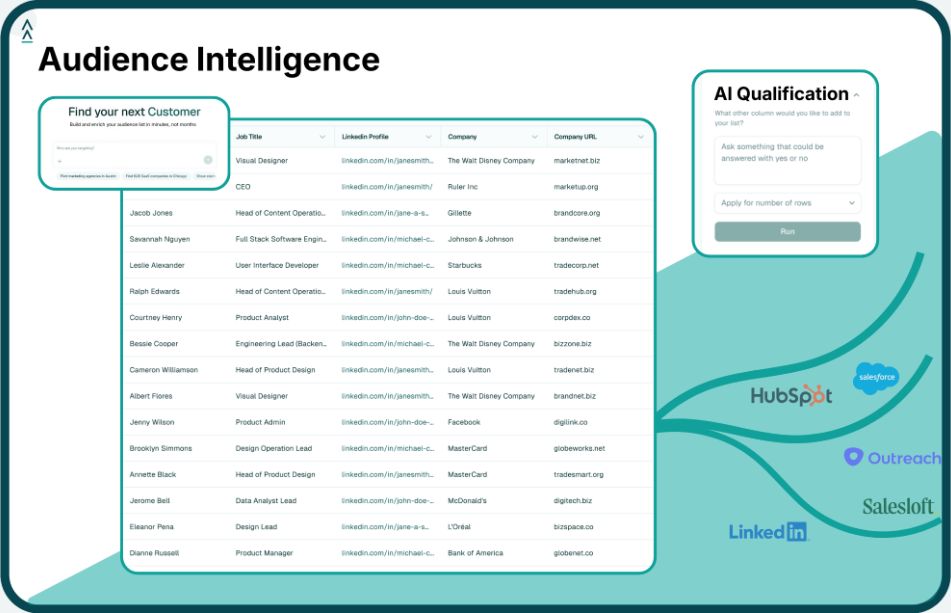
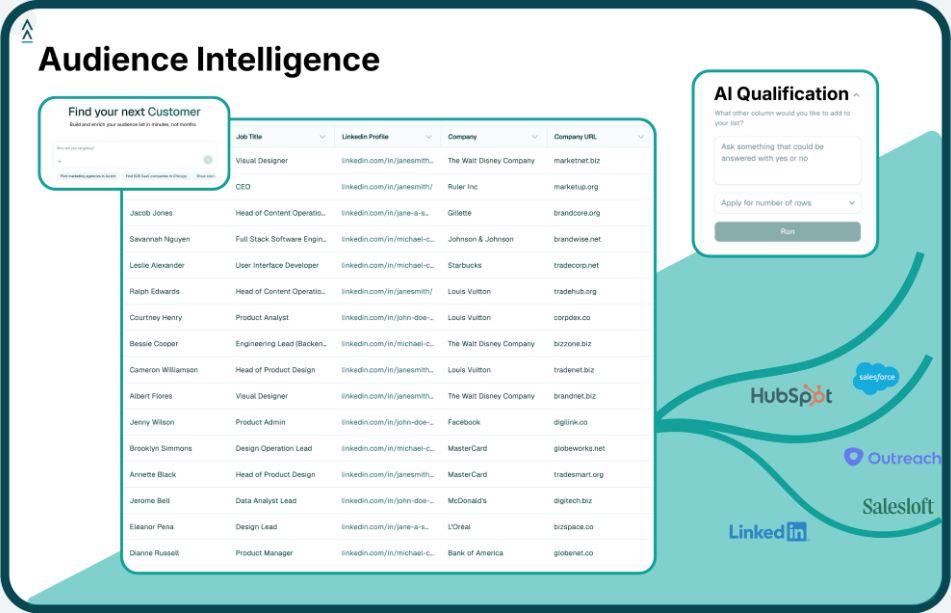
Personalized outreach depends on the information available before a message is written. Landbase CLI helps BDR operations, RevOps, and technical GTM teams prepare that information from the terminal, including audience data, contact details, matched records, and structured outputs for downstream tools.
Instead of starting with a generic list and asking a writing tool to fill in the gaps, teams can use Landbase CLI to build a stronger data foundation first:
This makes Landbase CLI useful before the writing or sequencing layer takes over. Reps and personalization tools can work from cleaner account context, while technical teams keep more control over how prospecting data is created, enriched, and routed.
Teams can start with CLI setup, follow the quickstart guide, or review CLI workflows to see how Landbase supports audience creation, enrichment, matching, and structured exports.
To see how Landbase CLI can support personalization workflows, request a demo.
A personalization tool helps BDR teams adapt outreach based on account context, buyer role, company signals, or CRM data. Some tools help with research, while others support message writing, coaching, sequencing, or multi-channel outreach. The goal is to make outreach more relevant without adding more manual work for reps.
BDR teams should evaluate where the tool fits in the workflow. Important criteria include research quality, data enrichment, message control, CRM compatibility, channel coverage, analytics, and ease of adoption. Technical teams should also consider whether the tool can work with structured outputs or agent-assisted workflows.
AI personalization depends on the accuracy and completeness of the account and contact data it receives. If the data is stale or missing important context, the message may sound generic or inaccurate. Enrichment, matching, and dataset preparation help teams improve the inputs before AI tools generate or suggest outreach.
AI can help draft personalized outreach, but human review is still important. Reps need to check accuracy, tone, buyer relevance, and whether the message fits the account strategy. AI is most useful when it speeds up research and first drafts while BDRs keep control over final messaging.
A personalization writing tool helps create or improve the message itself. Landbase CLI helps prepare the data that informs the message. It supports audience creation, enrichment, record matching, dataset workflows, and structured exports so writing tools, CRMs, and outbound platforms can work from better inputs.
Tool and strategies modern teams need to help their companies grow.