.png)
.png)

Daniel Saks
Chief Executive Officer


BDR teams are under pressure to create more qualified conversations with fewer manual steps. McKinsey research estimates that generative AI could create $0.8 trillion to $1.2 trillion in productivity across sales and marketing, reflecting how much time and operational effort still sits inside research, data preparation, account prioritization, and outreach workflows.
That shift matters for sales development teams because prospecting is one of the most workflow-heavy parts of the revenue process. At the same time, the AI SDR market is projected to reach $15.01 billion by 2030, showing how quickly teams are moving from manual list-building toward AI-assisted prospecting, enrichment, and engagement.
For BDR teams, the question is no longer whether AI belongs in prospecting. The better question is where AI should sit in the workflow. Some tools help reps find contacts. Others enrich records, surface buying signals, write outreach, or automate engagement. The strongest prospecting workflows combine accurate B2B data, enrichment, prioritization, and clean handoffs into CRM and outbound systems.
This guide reviews AI prospecting tools for BDR teams in 2026. The list focuses on data quality, workflow fit, enrichment, automation, CRM compatibility, and whether the tool can support modern GTM systems.
AI prospecting tools can support different parts of the BDR workflow. Some focus on contact discovery. Others handle enrichment, engagement, intent data, account prioritization, or CRM updates. Before choosing a tool, teams should identify which part of the workflow is causing the most friction.
For many BDR teams, the core challenges are practical:
The best AI prospecting workflows solve these issues before outreach begins. They help teams define the right audience, enrich the right records, identify stronger timing signals, and route structured data into the systems BDRs already use.
For technical GTM teams, the data layer is especially important. When prospecting data can be searched, enriched, matched, and exported in structured formats, teams can connect it to scripts, dashboards, CRM workflows, and AI agents instead of relying on one-off spreadsheet exports.
Best For: GTM engineers, RevOps teams, BDR operations teams, technical founders, and AI agents that need structured B2B data for prospecting workflows.
Plan Details: Contact Landbase for tailored pricing details.
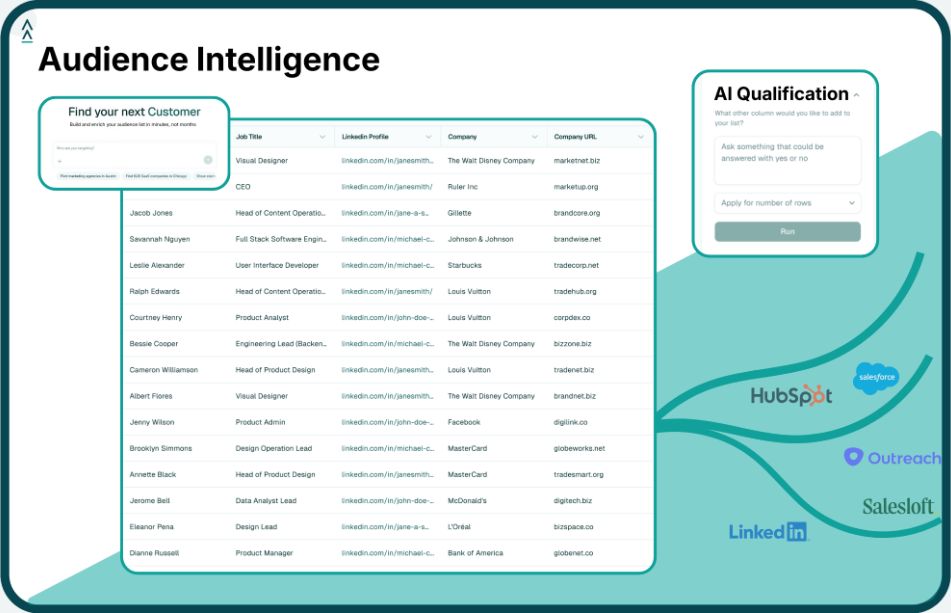
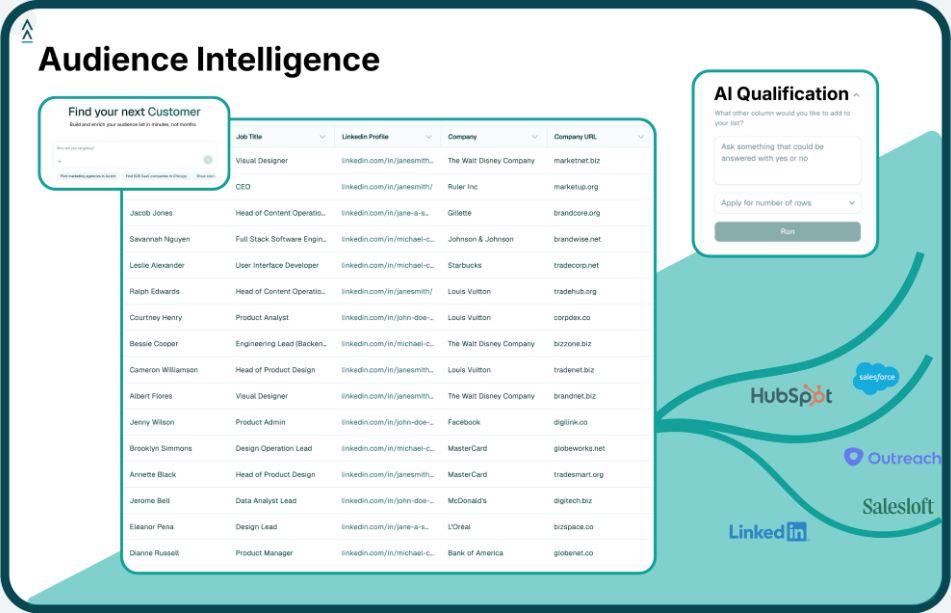
Landbase CLI is a command-line interface for working with GTM data from the terminal, Claude Code, Codex, scripts, dashboards, and other technical environments. Instead of starting with static filters or manual exports, teams can describe the audience, dataset, or enrichment workflow they need and return structured outputs for downstream use.
Landbase CLI is built for teams that treat prospecting as a data workflow, not only a rep activity. BDR teams need good lists, accurate records, and clear account context before outreach begins. Landbase helps technical operators build those inputs from a terminal-native interface.
This makes it useful when teams want to replace manual database searches, spreadsheet cleanup, and disconnected enrichment steps. A RevOps operator can generate a target account list, enrich records, match existing CRM data, and export results into the systems BDRs use for outreach and follow-up.
The CLI also supports agent-ready workflows. Because outputs are structured, they can be used in scripts, dashboards, notebooks, and AI-assisted workflows. That gives GTM teams more control over how prospecting data moves through the stack.
Primary Use Case: BDR teams that want contact search, prospecting workflows, and outbound engagement features in one platform.
Apollo.io combines B2B contact search, company search, enrichment, sequencing, calling, and CRM sync. The platform has a free plan, with paid plans starting at $49 per seat per month when billed annually.
For smaller BDR teams that want fewer systems to manage, Apollo.io can support the move from contact discovery to outbound activity in one workspace. It is commonly evaluated by teams that want database access and engagement features together rather than buying separate tools for each step.
Primary Use Case: RevOps and GTM teams that want table-based enrichment workflows across multiple data providers.
A spreadsheet-style workspace gives Clay users a way to build prospecting, enrichment, and account research workflows in rows and columns. The free plan includes limited credits, while the Launch tier starts at $185 per month.
Clay is commonly used when teams need configurable enrichment logic and have the operational capacity to manage table-based workflows. It can support BDR prospecting when lists require data from multiple sources before they are ready for outreach.
Primary Use Case: Sales teams that want lead discovery, signal tracking, enrichment, and outbound engagement in one system.
Teams that want a consolidated outbound workflow may evaluate Amplemarket for its mix of prospecting data, intent signals, enrichment, and multi-channel engagement. Its Startup plan is listed at $600 per month on an annual term.
Amplemarket can support BDR teams that want to reduce handoffs between prospecting, enrichment, and outbound engagement. It is typically relevant when the team prefers a single outbound workspace rather than separate systems for data and execution.
Primary Use Case: Teams evaluating AI SDR workflows for outbound prospecting and meeting generation.
AiSDR focuses on AI-assisted sales development workflows. Its pricing page currently lists plans starting at $250 per month, with higher tiers available for larger usage needs.
AiSDR is relevant for teams that want to test how much of the outbound workflow can be handled by an AI sales agent. It is generally a better fit for teams that are comfortable reviewing and managing AI-led prospecting rather than keeping every step fully rep-controlled.
Primary Use Case: Revenue teams that need B2B company data, contact discovery, intent data, technographics, and CRM integrations.
Revenue organizations use ZoomInfo as a B2B data and sales intelligence platform. Its pricing is customized based on factors such as users, credit consumption, and the depth of B2B intelligence needed.
ZoomInfo is commonly evaluated when teams need a data source for account research, prospect discovery, and CRM-connected workflows. It is usually part of a broader sales stack that may also include separate engagement and workflow tools.
Primary Use Case: BDR teams that need B2B contact data, CRM enrichment, and prospecting workflows for European or global markets.
For EMEA-focused prospecting, Cognism is often evaluated for contact data, company data, enrichment, and compliance-oriented workflows. Its pricing is tailored based on product needs, team setup, and usage.
Cognism can support BDR teams that need contact coverage, enrichment, and data governance for outbound prospecting. It is commonly used before engagement workflows when teams need cleaner contact and company records.
Primary Use Case: Mid-market and enterprise teams running account-based programs with intent data and account prioritization.
Account-based teams often use 6sense to identify accounts, interpret buying signals, and prioritize sales or marketing activity. Its Sales Intelligence page offers a free sign-up path, while paid packages typically require a sales conversation.
6sense is relevant when the prospecting motion starts at the account level rather than the individual contact level. It can help teams decide which accounts should receive attention before reps begin outreach.
Primary Use Case: Teams that want CRM, sales engagement, and pipeline management inside the HubSpot ecosystem.
Inside the HubSpot ecosystem, Sales Hub keeps contact records, deal activity, email sequences, tasks, meeting scheduling, and sales reporting close to the CRM. HubSpot offers free sales tools, with paid tiers available for teams that need more automation and controls.
HubSpot Sales Hub can support BDR teams that want prospecting and follow-up workflows to stay close to CRM data. It is commonly relevant when HubSpot is already the system of record for sales and marketing activity.
Primary Use Case: BDRs and small sales teams that want browser-based contact discovery and enrichment.
Browser-based prospecting is the main workflow for many Lusha users. The platform provides B2B emails and phone numbers, with a free plan and paid plans available for higher usage.
Lusha can support teams that need a lightweight way to find contact details during prospect research. It is typically relevant for smaller teams or individual reps that want browser-based enrichment before moving records into other systems.
AI prospecting tools are only as useful as the data they run on. A sequencing tool needs accurate contacts. An AI SDR workflow needs account context. A CRM needs clean records. A dashboard needs consistent fields. Landbase CLI helps support those upstream needs by giving teams a more flexible way to work with B2B audience data.
With Landbase CLI, teams can:
This makes Landbase useful for BDR teams that need better inputs before outreach begins. Instead of pulling lists manually each time, teams can create repeatable processes for audience creation, enrichment, CRM preparation, and reporting.
The CLI is especially relevant for GTM engineers, RevOps teams, and technical founders that want to connect prospecting data with the systems they already use. Teams working in Claude Code, Codex, scripts, or notebooks can use CLI setup and the quickstart guide to connect GTM data with technical workflows.
For BDR teams trying to improve prospecting without adding more manual data work, explore Landbase CLI or request a demo.
An AI prospecting tool helps sales teams identify, research, prioritize, enrich, or engage potential buyers using AI-supported workflows. Some tools focus on contact discovery, while others support enrichment, intent signals, outreach automation, or CRM updates. For BDR teams, the goal is to reduce manual research and improve the quality of prospecting inputs before outreach begins.
Landbase CLI supports BDR prospecting by giving teams a terminal-native way to search, match, enrich, manage, and export B2B audience data. Teams can use natural-language prompts to define target accounts, enrich records with company and contact data, match uploaded lists, and download structured outputs for CRM or outbound workflows.
BDR teams should evaluate data accuracy, enrichment coverage, signal quality, CRM compatibility, workflow automation, and reporting. Technical teams should also check whether the tool supports structured exports, APIs, or CLI workflows. Tools that produce clean, machine-readable outputs are easier to connect with dashboards, scripts, and AI workflows.
AI can reduce manual research, list building, enrichment, and first-draft outreach work, but most teams still need human judgment for messaging, account strategy, qualification, and relationship-building. The most practical approach is to use AI for repetitive data and research tasks while keeping BDRs focused on conversations, context, and follow-up quality.
AI prospecting depends on the records it receives. If company data is incomplete, contact details are outdated, or CRM records are duplicated, AI workflows can produce poor targeting and irrelevant outreach. Clean account data, enrichment, matching, and structured exports help teams build more reliable prospecting systems.
Traditional prospecting databases often rely on fixed filters, manual exports, and web-based workflows. Landbase CLI gives technical GTM teams direct terminal access to B2B audience data. Users can describe audiences in plain English, enrich records, match datasets, and export structured files for scripts, CRMs, dashboards, notebooks, and AI agents.
Tool and strategies modern teams need to help their companies grow.